
Every engineering team knows the moment: the architecture has changed, the meeting has ended, and the diagram that explains it all is already out of date. Redrawing boxes and arrows is the kind of chore that quietly never gets done. Mermaid AI, from the company behind the open-source Mermaid.js library, is betting that the fix is to stop drawing altogether, and simply describe what you mean.
What makes the product interesting is not just that it uses generative AI. It is that the AI writes in a plain-text diagram language millions of developers already use, so the output stays editable, version-controllable, and portable. That combination of open-source roots and AI generation is a useful case study in how developer tools are evolving.
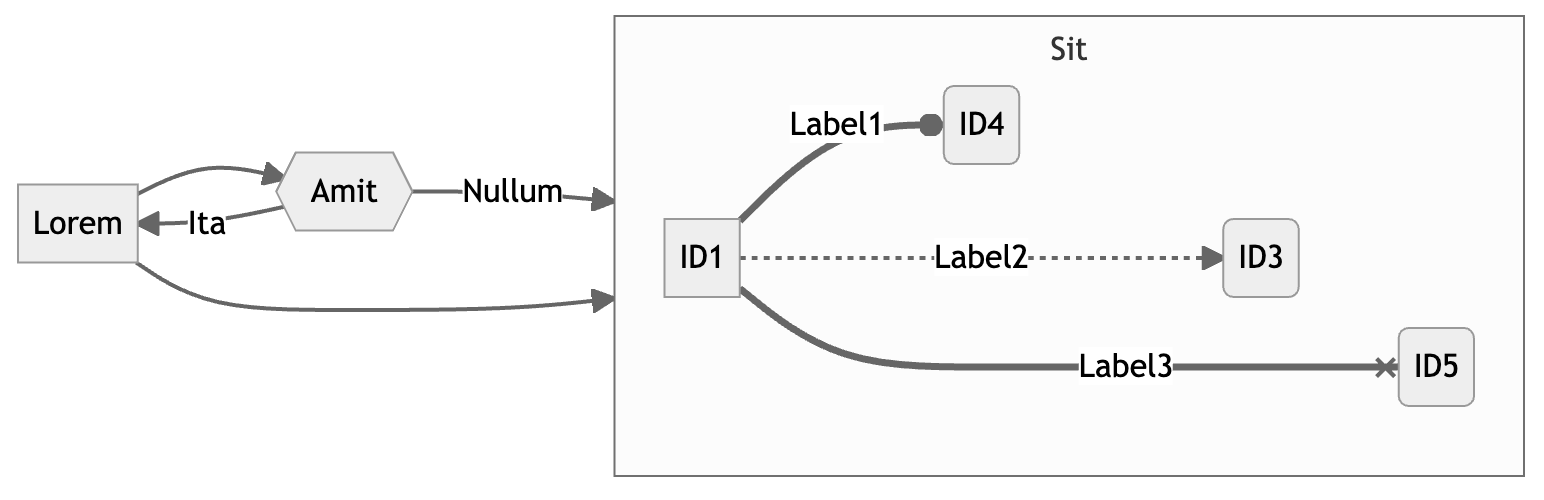
From a lost Visio file to a venture-backed company
Mermaid began as a side project. Creator Knut Sveidqvist told TechCrunch that the idea came after he lost a Microsoft Visio file and had to redraw everything, prompting him to ask why diagrams couldn’t simply be written as text, much like Markdown. The name, he said, came from the film his children were watching the night he started coding: The Little Mermaid.
The approach caught on. In 2022, GitHub added native rendering of Mermaid code blocks inside Markdown files, explaining in its official blog that the library “takes Markdown-inspired text definitions and creates diagrams dynamically in the browser.” That same year, Sveidqvist co-founded Mermaid Chart with Open Core Ventures, the venture firm of GitLab co-founder Sid Sijbrandij. According to the Mermaid.js project documentation, the lead Mermaid developers joined the company, which funds ongoing open-source work while selling hosted, professional features.
In March 2024 the company announced a $7.5 million seed round from investors including OCV, Sequoia, and Microsoft’s M12, TechCrunch reported, noting that the team had trained its own AI model so users could create charts through a chat interface. In December 2025, the company moved its home from mermaidchart.com to mermaid.ai, saying the new domain would “better support AI-powered capabilities.” Today the Mermaid homepage claims more than 5 million users across over 200,000 companies.
How Mermaid AI works: chat, vibe, and voice
Mermaid AI is not a single feature but a set of entry points, each aimed at a different stage of the work. The company’s documentation describes three modes:
- Mermaid AI chat: a conversational panel for generating a diagram from scratch or making sweeping changes, such as switching diagram type or restructuring the whole layout.
- Vibe diagramming: inline AI inside the Visual Editor. You select one node or a group of nodes, describe the change, and only that section is rewritten while the rest of the diagram stays untouched.
- Voice diagramming (beta): you describe a diagram out loud and Mermaid transcribes and renders it in real time.
Two design choices stand out. First, all three modes show a diff of proposed changes before anything is applied, and the docs state plainly that Mermaid AI “never changes a diagram without showing you first.” Second, everything the AI produces is standard Mermaid syntax, so users can drop into the text editor at any point and make precise adjustments. There is also a “Fix with AI” option for diagrams whose code has syntax errors and refuses to render.
Context-aware diagrams from your existing documents
The most practical upgrade arrived in late 2025. In a November 2025 feature release, the company added file uploads to Mermaid AI: design docs, product requirement documents, meeting transcripts, screenshots, and code snippets. Each conversation retains everything uploaded, so a user can generate a system overview from a requirements doc and then ask follow-ups like “add a caching layer” without re-explaining the project.
This matters because most diagrams are summaries of information that already exists somewhere else. Turning a long spec into a sequence diagram, or messy meeting notes into a clean process flow, is exactly the kind of translation work large language models handle well, and exactly the kind humans tend to postpone. The same release added view-only public links that require no login, plus single sign-on and SOC 2 compliance aimed at enterprise buyers.
Diagrams inside your AI assistant: the MCP server
Mermaid is also meeting users inside the AI tools they already use. The company runs a Model Context Protocol (MCP) server that lets assistants such as Claude, along with MCP-capable editors like VS Code and Cursor, create, validate, and render Mermaid diagrams. According to the documentation, the server checks syntax, returns PNG and SVG images with a link to an interactive editor, and, once connected to a Mermaid account, can list, create, and update diagrams in a user’s projects. Every tool call requires signing in, though a free Basic account is enough.
The feature announcement frames this as “the first step toward truly AI-native diagramming,” with suggested uses such as generating architecture diagrams from ticket descriptions or validating diagram syntax in CI/CD pipelines. It is a telling strategic move: rather than forcing users into its own app, Mermaid is positioning its syntax and rendering as infrastructure that any AI agent can call.
Practical takeaways
- Start from what you already have. Uploading a spec, PRD, or meeting transcript usually produces a better first draft than a blank prompt, since the AI keeps that context for follow-up edits.
- Use the right mode for the job. Chat suits new diagrams and structural rewrites; vibe diagramming suits a diagram that is mostly right but needs targeted fixes.
- Review the diff. AI-generated diagrams can misread relationships. The built-in diff preview is your chance to catch errors before they spread into documentation.
- Keep diagrams as code. Because output is standard Mermaid syntax, store it alongside your docs in Git, where platforms like GitHub render it natively.
- Know the limits of the free tier. The Mermaid.js documentation lists the free Basic plan at three diagrams with limited AI usage; heavier users and teams will need a paid plan.
- Consider the MCP route. If your team already works in Claude, Cursor, or VS Code, connecting the MCP server may be faster than adopting another standalone app.
Conclusion
Mermaid AI is a sensible evolution of a simple idea: diagrams should be as easy to write and update as text. By pairing a widely adopted open-source syntax with chat, inline, and voice generation, plus a server that plugs into AI assistants, the Mermaid team is turning diagramming from a design task into a byproduct of normal work. The open question is accuracy at scale; generated diagrams still need human review. But for teams drowning in outdated architecture charts, letting AI draft the picture and keeping humans in charge of the details is a trade worth trying.
Sources
- Mermaid Chart, a Markdown-like tool for creating diagrams, raises $7.5M (TechCrunch, March 20, 2024)
- Include diagrams in your Markdown files with Mermaid (The GitHub Blog, February 14, 2022, updated July 23, 2024)
- Mermaid Chart (Mermaid.js official documentation)
- Introducing a New Home for Mermaid: Mermaid.ai (Mermaid blog, December 12, 2025)
- Building Diagramming Momentum (Mermaid blog, November 19, 2025)
- Add and edit with AI (Mermaid documentation)
- Mermaid MCP Server (Mermaid documentation)
- Mermaid homepage (mermaid.ai)