
LibreOffice
LibreOffice is mostly known for being an open-source replacement for Microsoft Office. Beyond the standard editing of documents (Writer), spreadsheets (Calc), and presentations (Impress), it also has tools for databases (Base), calculations (Math).
LibreOffice is a free, open-source office productivity suite developed by The Document Foundation (TDF). It provides a full alternative to proprietary office software, offering tools for word processing, spreadsheets, presentations, graphics, databases, and mathematical formulas. LibreOffice is widely adopted across enterprises, governments, educational institutions, and individual users due to its open standards, extensibility, strong community governance, and absence of licensing costs.
This article provides a detailed technical breakdown of LibreOffice—covering architecture, core components, file formats, extensibility, security model, performance considerations, and enterprise deployment scenarios.
LibreOffice Architecture Overview
LibreOffice is built on a modular, cross-platform architecture designed to run consistently on Windows, macOS, and Linux.
High-Level Architecture Layers
- User Interface Layer
- Traditional menu/toolbar UI
- Notebookbar (ribbon-style UI)
- Accessibility and localization components
- Application Modules
- Writer, Calc, Impress, Draw, Base, Math
- Core Framework
- UNO (Universal Network Objects) component model
- VCL (Visual Class Library)
- SFX2 document framework
- File Format & Rendering Layer
- ODF processing
- Import/export filters
- Layout and rendering engines
- Platform Abstraction Layer
- OS-specific integrations
- Printing, font rendering, clipboard, windowing
Core LibreOffice Applications
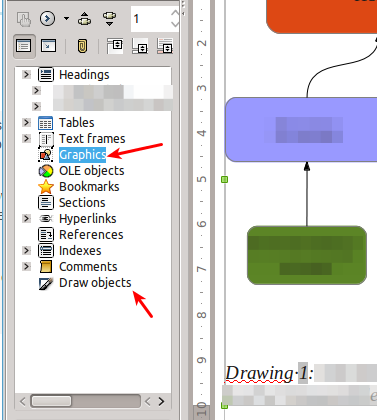
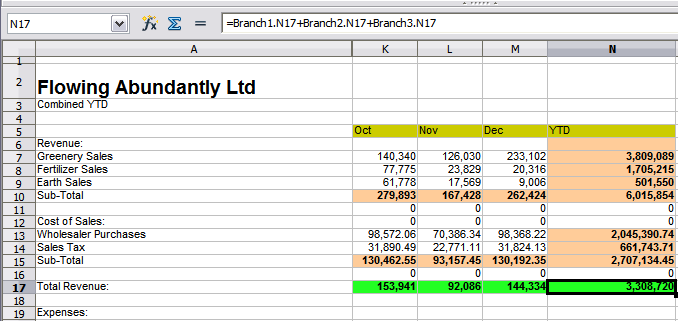
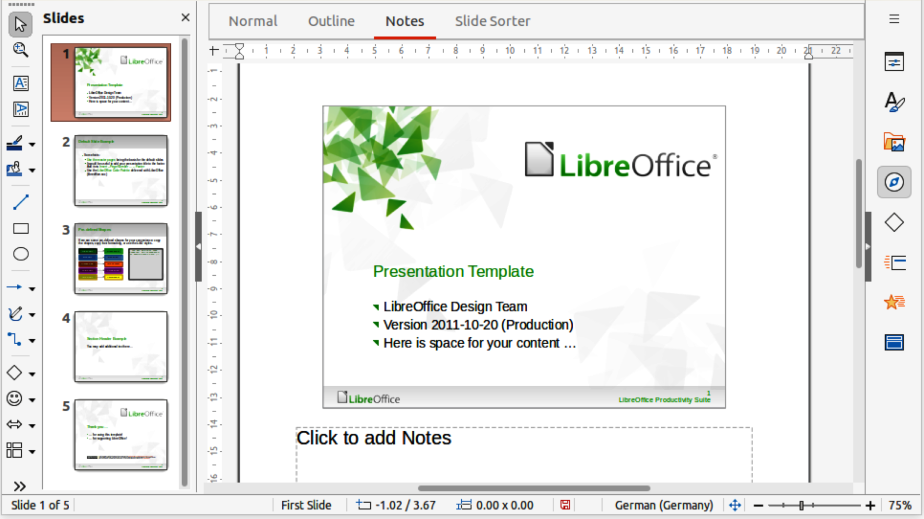
5
LibreOffice Writer
- Full-featured word processor
- Supports styles, templates, track changes, comments
- Advanced page layout (frames, sections, master pages)
- Export to PDF/A, EPUB, and HTML
- Strong accessibility and long-document handling (TOCs, indexes)
LibreOffice Calc
- Spreadsheet application with:
- Over 500 built-in functions
- Pivot tables
- Solver and scenario analysis
- Macros and scripting
- Optimized for large datasets (millions of cells)
- Supports CSV, XLSX, and ODS formats
LibreOffice Impress
- Presentation tool comparable to PowerPoint
- Slide transitions and animations
- Presenter console
- Supports multimedia embedding and SVG graphics
LibreOffice Draw
- Vector graphics and diagramming tool
- Flowcharts, technical diagrams, posters
- PDF editing and annotation capabilities
LibreOffice Base
- Database front-end
- Embedded HSQLDB/Firebird support
- Connectivity via JDBC/ODBC to:
- MySQL, PostgreSQL, Oracle, MS SQL Server
- Used primarily as a data access and form/report layer
LibreOffice Math
- Formula editor using markup syntax
- Integrated into Writer and Impress
- LaTeX-style equation rendering
File Formats and Open Standards
One of LibreOffice’s strongest technical advantages is its native use of open standards.
OpenDocument Format (ODF)
- ISO/IEC 26300 standard
- XML-based, human-readable structure
- ZIP-compressed container
- Separates:
- Content
- Styles
- Metadata
Benefits:
- Long-term archival compatibility
- Vendor neutrality
- Easier data extraction and automation
Proprietary Format Interoperability
LibreOffice includes robust import/export filters for:
- DOCX, XLSX, PPTX
- Legacy Microsoft Office formats (DOC, XLS, PPT)
- PDF (import and export)
Note: While compatibility is high, complex macros and layout-heavy documents may require validation during migration projects.
UNO Component Model
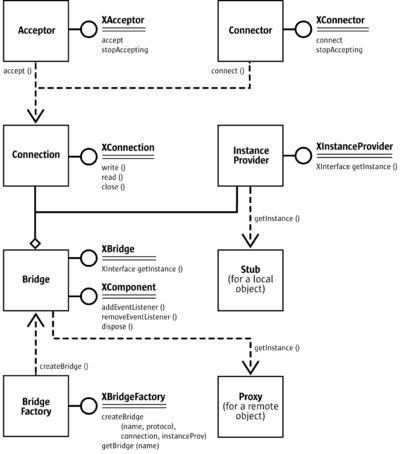
At the heart of LibreOffice is UNO (Universal Network Objects)—a language-independent component model.
UNO Characteristics
- Interface-based architecture
- Language-agnostic (C++, Java, Python, JavaScript)
- Remote and local object access
- Used internally and externally (extensions, automation)
UNO enables:
- Macro scripting
- Add-on development
- External system integration
Extensibility and Automation

Macros and Scripting
- Supported languages:
- LibreOffice Basic
- Python
- JavaScript
- BeanShell
- Access to full document object model via UNO API
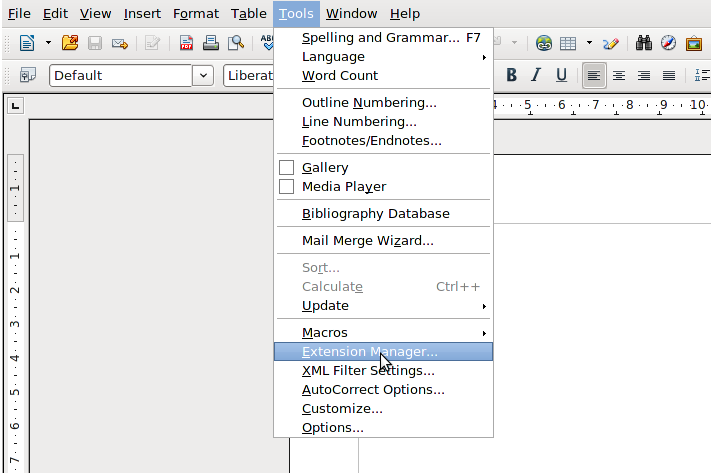
Extensions
- Distributed as
.oxtpackages - Can add:
- UI elements
- Custom functions
- New file filters
- Integration with third-party services
Headless and Server Use
LibreOffice can run in headless mode:
- Document conversion (DOCX → PDF)
- Automated report generation
- Batch processing on servers
Common in:
- CI/CD pipelines
- ECM and DMS platforms
- Cloud document services
Security Model
LibreOffice emphasizes user control and transparency.
Macro Security
- Macro execution disabled by default
- Trusted locations and digital signatures
- Fine-grained macro permission settings
Document Security Features
- Password-protected documents
- AES encryption for ODF
- Redaction and metadata removal
- PDF signing and verification
Open-Source Security Advantage
- Publicly auditable source code
- Faster vulnerability discovery and patching
- No hidden telemetry or vendor lock-in
Performance and Scalability
Performance Optimizations
- Multi-threaded layout rendering (Writer, Calc)
- GPU acceleration for UI and rendering (platform-dependent)
- Incremental loading for large documents
Enterprise-Scale Usage
LibreOffice is deployed at scale by:
- Government agencies
- Large educational systems
- Enterprises migrating from proprietary suites
Optimizations include:
- Centralized configuration management
- Custom builds with restricted features
- Integration with identity and document management systems
Deployment and Management
Installation Options
- Native installers (Windows, macOS, Linux)
- MSI packages for enterprise rollout
- Flatpak, Snap, and distribution repositories
Enterprise Deployment Tools
- Group Policy (Windows)
- Configuration profiles
- Locked-down UI modes
- Managed templates and extensions
Long-Term Support
- Community releases (frequent updates)
- Enterprise LTS offerings via certified partners
- Backported security fixes
LibreOffice vs Proprietary Office Suites
| Area | LibreOffice | Proprietary Suites |
|---|---|---|
| Licensing | Free, open source | Subscription-based |
| Standards | ODF (open) | Proprietary formats |
| Customization | Very high | Limited |
| Vendor lock-in | None | High |
| Cloud-native | Limited | Strong |
| Data control | Full | Vendor-dependent |
Use Cases
- Government digital sovereignty initiatives
- Cost-reduction programs
- Long-term document archiving
- Academic and research environments
- Privacy-sensitive organizations
- Automated document processing pipelines