
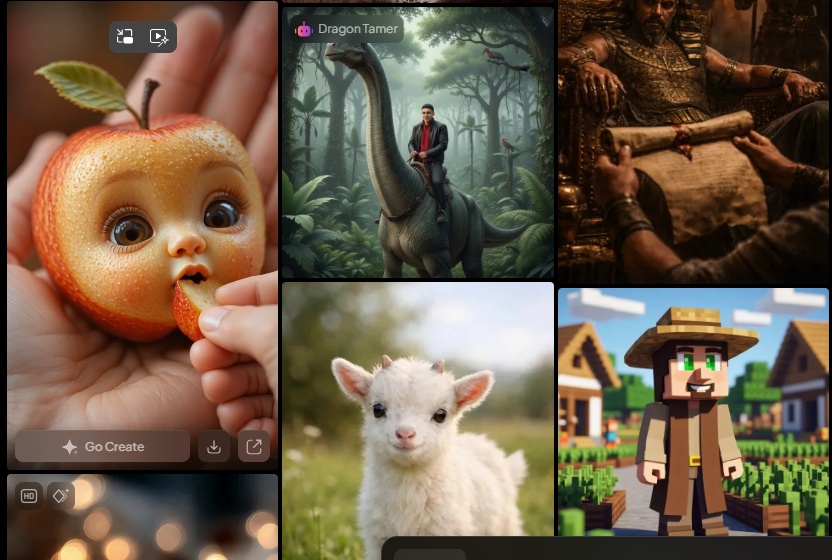
PixVerse is a generative artificial intelligence platform focused on turning text and static imagery into dynamic video content. It leverages advanced deep learning models to automate complex visual and motion synthesis tasks, enabling creators to produce short, expressive videos with minimal manual editing. The onboarding page positions PixVerse as a leading AI video generator, especially popular for social media content creation.
How PixVerse Works
Platform’s core AI pipeline typically includes:
1. Large Vision-to-Video Models
PixVerse uses AI models trained on large datasets of videos and images to learn:
- Semantic understanding of visual inputs (objects, people, scene context)
- Temporal dynamics (how pixels move over time)
- Style consistency (artistic and cinematic rendering)
These models generate video frames by predicting motion vectors and texture changes based on input prompts or images — often involving spatio-temporal neural networks or diffusion-style architectures adapted for video synthesis.
2. Prompt and Input Handling
PixVerse accepts:
- Text prompts (e.g., “a magical forest with drifting lights”)
- Image uploads (single or multi-image references)
- Templates and directives like “cinematic style” or “anime aesthetic”
The system parses input to align visual generation with creative intent, applying language-conditioned video synthesis similar to how text-to-image AI models extend into motion generation.
3. Output Rendering
Outputs are usually:
- Short animated videos (often 5–10 seconds)
- Animated effects on top of static inputs
- Style transfers and transitions
- Potential audio synchronization (reported in newer releases)
Rendering priorities balance between:
- Visual fidelity
- Frame consistency
- Speed, with many generations completing within seconds to a couple of minutes
Key Capabilities & Features
AI Video Generation (Text-to-Video)
Convert descriptive text into a complete animated video scene. For example, writing “a futuristic cityscape sunrise with flying cars” could produce a stylized clip that visualizes the scene’s motion and lighting.
Technical notes
- The model maps text tokens to visual trajectory vectors
- Uses spatio-temporal consistency enforcement to maintain coherent motion
- Aims for cinematic composition and camera movement logic
Image-to-Video Animation
Upload a photo — such as a portrait or landscape — and animate it:
- Subtle movements (like breathing or ambient motion)
- Camera effects (zoom, pan)
- Style overlays (fantasy, anime, realistic)
This involves motion inference networks that predict dynamic frames from still inputs.
Multi-Image Fusion
Advanced generation lets users input multiple reference images simultaneously and fuse them into a cohesive video. This capability supports narrative composition where each image can represent different elements (e.g., foreground, background, props).
Fusion tech highlights
- Consistency in lighting and color
- Object interaction logic
- Frame transition coherence
Cinematic Controls
PixVerse’s more recent models (such as v4.5) introduce:
- Lens simulation presets (pan, zoom, push–pull)
- Motion customization through prompts
- Multi-subject motion refinement
These enable creators to emulate real camera dynamics and produce higher-quality storytelling clips.
Style Transfer & Effects
Users can select artistic styles like:
- Realistic rendering
- Anime or cartoon aesthetics
- 3D animation and visual filters
These style parameters condition the generation process, influencing texture detail, shading, and emotional tone.
Output Formats & Resolutions
The platform supports a range of formats such as:
- MP4 (H.264) for video
- WebM
- Animated GIFs for short loops
Resolutions vary by plan tier and range from 360p up to 4K, with multiple aspect ratio presets to target different platforms (e.g., widescreen, vertical for mobile).
Technical Workflow (Step-by-Step)
Here’s how a typical PixVerse video generation session might look:
- Input Selection
- Choose whether to generate from text or images (or both).
- Prompt Specification
- Write a descriptive prompt such as:
“A neon cyberpunk cat walking through a rainy city at night, cinematic lighting.”
- Write a descriptive prompt such as:
- Style & Mode
- Select style (e.g., cyberpunk, anime)
- Define aspect ratio (16:9 for landscape, 9:16 for mobile)
- Generation
- The AI parses text and/or visual inputs
- Neural generation pipeline synthesizes frames
- Optional audio (soundtrack or ambient effects) can be added
- Review & Export
- Preview the result
- Export in desired resolution
Sample Prompt and Output Explanation
Prompt example
“A futuristic robot dancing in a neon city plaza at dusk, smooth camera pan, vivid colors.”
Expected output characteristics
- A short animated sequence (e.g., 5–10 seconds) showing:
- The robot moving with realistic physics
- Camera movement that pans across the scene
- Neon reflections and lighting effects
Process Breakdown
- Text conditioning module translates words into semantic vectors.
- Motion synthesis model predicts frame progression consistent with prompt semantics.
- Rendering engine applies style details and outputs compressed video (MP4).
Use-Cases and Applications
PixVerse is commonly used for:
- Social media content creation
- Marketing and advertisement assets
- Product showcase animations
- Personal and meme-style videos
- Rapid prototyping of animated concepts
Its broad template and preset system make it suitable for both novice and experienced creators.
PixVerse represents a sophisticated entry into generative video AI, combining text-to-video, image animation, multi-image fusion, and cinematic effects. Its strength lies in automated motion synthesis and creative controls that democratize video content creation. Users can rapidly produce compelling visual content for digital platforms with minimal technical expertise — making it a powerful tool for creators, marketers, and storytellers alike.
Global filmmaking challenge
Escape and PixVerse are teaming up to launch a global filmmaking challenge celebrating narrative creativity, innovative use of AI tools, and original storytelling. This contest is designed for filmmakers, animators, and creators who want to push what is possible with AI-driven video — especially using PixVerse’s advanced tools for multi-frame consistency and character continuity
PixVerse | Create Amazing AI Videos from Text & Photos with AI Video Generator