
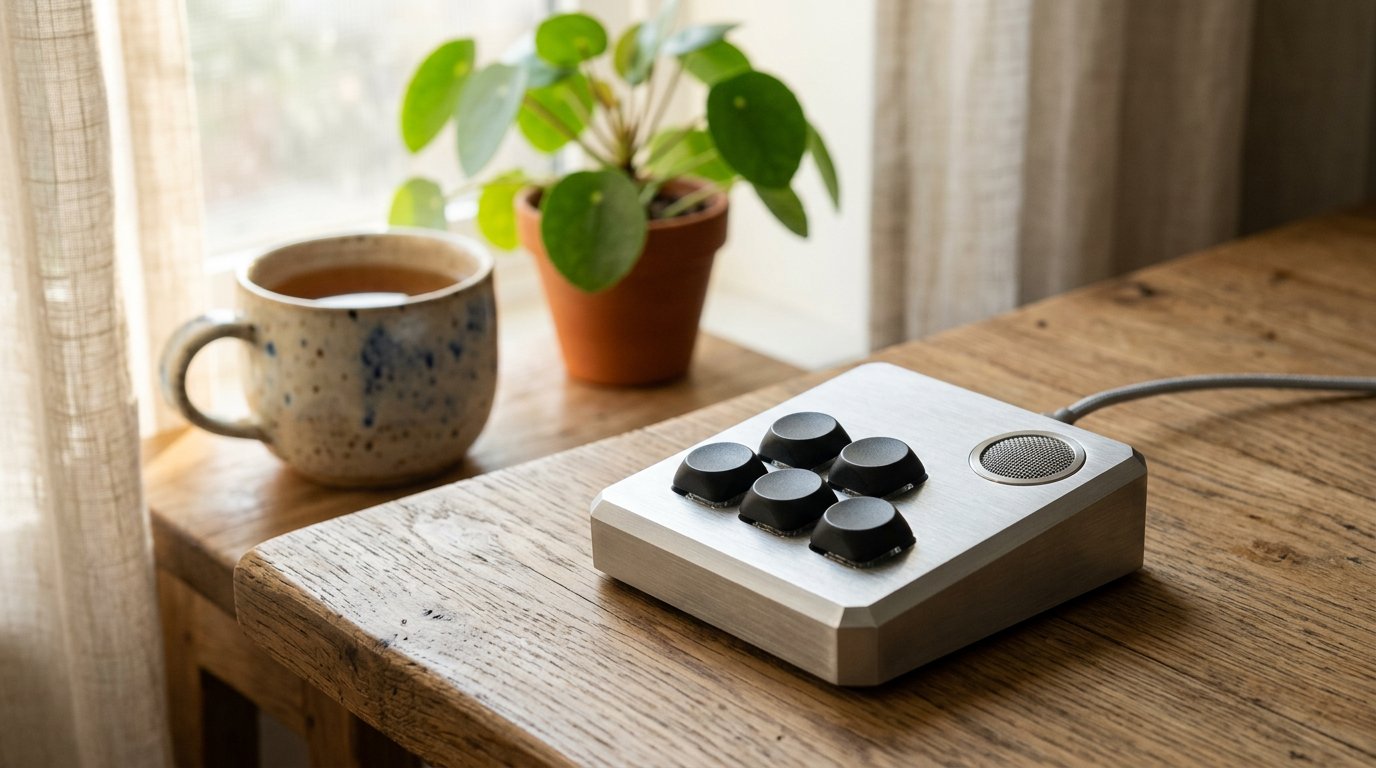
A keypad built for the AI era
Most of us start a task the same way: hunt for the right app, find the right tab, then type out a thought that was already fully formed in our heads. On November 24, 2026, Genspark.ai announced a small desktop gadget meant to cut those detours. According to the company’s press release, SecondBrain VoicePad is a customizable device that lets people work with the press of a key or the sound of their voice.
It pairs with a PC or Mac and combines programmable keys with dual microphones. You can open apps, dictate text and trigger custom actions without reaching for the mouse. Genspark describes the idea as a faster, more natural way to work, with more of the day spent on what matters most.
The device is available for preorder now, and Genspark says the first production run ships in January 2027.
Press, speak, done
The headline feature is dictation. Per Genspark, you assign a key to voice input, pick the device up and speak at a normal volume, or even whisper. Your words then appear as text in whatever app is in front of you. The company says VoicePad types clean, polished text and automatically removes filler words and false starts.
Genspark pitches this at people who spend their day writing AI prompts and messaging teammates, saying the time saved can add up to hours each week. That figure is the company’s own claim, and the release does not describe how it was measured.
The dual microphones sit close to the speaker’s mouth. Genspark says that helps VoicePad perform reliably in loud or shared offices, where built-in laptop dictation often struggles.
Five keys, any AI, any app
VoicePad has five keys, and every one is customizable. You set the device up once in the free Genspark Super App, then give each key a job. The release lists several kinds of assignment:
- Open everyday apps: ChatGPT, Claude, Genspark, Notion, YouTube, or any other app installed on your computer.
- Start voice input: dictate instead of typing.
- Run a Genspark agent: for example Meeting Notes, where a double-tap starts recording and a clear, professional summary arrives when the meeting ends.
- Trigger everyday shortcuts: Enter, Copy, Paste, or any other command you use all day.
- Use Smart Actions: chain several steps on one key. Genspark’s example is a single press that opens Claude, takes your dictated question and submits it.
The company’s framing is notable: the keys are not tied to Genspark’s own assistant. A user can point them at competing AI tools, which makes VoicePad closer to a physical launcher for a person’s whole AI toolkit.
Hardware details and availability
VoicePad connects to Windows and macOS over Bluetooth. Its body is CNC-machined aluminum and it weighs just 85 grams, so it is meant to sit on a desk or travel in a bag. Genspark says preorders are open through its shop, with the first production run shipping in January 2027.
The release does not list a price in the text we reviewed, so check the product page for current pricing and terms before ordering.
The announcement also places the gadget in a larger strategy. Genspark describes itself as a Palo Alto company building agentic AI for knowledge workers, orchestrating more than 70 AI models to turn business objectives into finished deliverables such as presentations, financial models and documents. It says its products now span web, desktop, mobile and hardware, and that it has raised $645 million in total funding at a $2.6 billion valuation.
What it means
AI software has grown more capable, but the way people reach it is still mostly a keyboard and a browser tab. VoicePad is one of a growing group of attempts to give AI a dedicated physical control surface, in the same way a stream deck serves video creators or a macro pad serves programmers.
If the dictation works as described, the biggest beneficiaries are likely people who write long prompts all day and work in noisy spaces. The Smart Actions feature is the more interesting idea: it turns a multi-step AI routine into a single press. Real-world accuracy, latency and how well the keys work with third-party apps are still unproven until the device ships and independent reviewers test it.
As with any preorder gadget, buyers are taking the company at its word on specifications and delivery dates, so it is sensible to wait for hands-on reviews.
Conclusion
SecondBrain VoicePad is a small, focused bet that the next step for AI tools is less typing and fewer clicks. Five programmable keys, whisper-friendly dictation and Bluetooth support for Windows and macOS make it easy to describe. Whether it earns a place on desks will depend on how it performs when it arrives in January 2027.